


Key Takeaways
- Build a research stack: use AI search to discover papers, citation maps to trace connections, and a reference manager to organize sources.
- Consensus and Elicit support research discovery in different ways, while Litmaps and ResearchRabbit help reveal citation relationships.
- Use AI to screen and organize evidence, but verify every important claim and citation against the original paper.
- Keep a clear record of why sources were included, what each paper actually found, and how its citation is formatted.
Table of Contents
- What should an AI research stack do?
- How do you find relevant papers with AI search?
- When should you use citation mapping instead of semantic search?
- How can you extract evidence without losing context?
- How should you manage citations and research notes?
- How do you verify AI-generated claims and citations?
- Which workflow fits your project and experience level?
- What privacy and academic-integrity checks should you make?
- Frequently Asked Questions
- Key points to keep your review reliable
AI tools for literature reviews and citation management can speed up the work of finding, sorting, and tracking academic sources—but they do not replace reading and checking the papers. For a college research project, the most reliable approach is an end-to-end workflow: discovery, literature mapping, evidence extraction, reference management, and synthesis. Each stage answers a different question, so one tool rarely handles the whole job well.
What should an AI research stack do?
An AI research stack is a set of tools and checks that supports the full path from a research question to a documented review. The goal is not to collect the largest possible pile of papers; it is to find relevant evidence, understand how sources connect, and keep an accurate record of what you used.
Think of the process as five stages. Discovery finds candidate papers; mapping shows how papers relate through citations; extraction records useful details; management keeps the library usable; and synthesis turns the evidence into a reasoned answer. Consensus describes research-agent tasks that can move from semantic search to DOI lookup and citation-graph traversal, illustrating how discovery can become a multi-step process rather than a single query (Consensus, 2026 product changelog).
| Stage | Question to answer | Useful tool type |
|---|---|---|
| Discovery | Which papers appear relevant to my question? | Semantic research search |
| Mapping | Which papers cite, extend, or connect to these sources? | Citation-network visualization |
| Extraction | What method, population, or finding does each paper report? | PDF analysis and structured screening |
| Management | Can I retrieve and cite each source later? | Reference manager and organized library |
| Synthesis | What patterns and disagreements appear across the evidence? | Your own comparison, supported by verified notes |
Separating the stages helps prevent a common workflow mistake: treating a fluent AI summary as proof that a source belongs in the review. Relevance, credibility, and accurate interpretation are separate checks.
How do you find relevant papers with AI search?
Semantic search looks for meaning and concepts, not just exact keyword matches. That can help when you know the problem you want to investigate but have not learned the field’s specialized terminology.
Consensus is an AI search engine for evidence-based answers from peer-reviewed research. Its product changelog describes citation grounding, which lets users inspect exact paper text associated with citations, and Zotero import support. Elicit focuses on research workflows such as screening and data extraction; its official materials describe collaborative research environments and tools for systematic reviews (Elicit, 2026).
Start by writing a focused question in ordinary language, then translate it into a few concept groups. For example, a question about whether a particular teaching approach improves student retention might include the intervention, the outcome, and the student population. Search each concept in more than one phrasing, then check whether the returned papers actually address the same population and outcome you mean.
- Draft a question. State the topic, population or setting, and outcome you care about.
- Run a semantic search. Use a discovery tool to find candidate papers and note the terms it surfaces.
- Check each result. Open the paper record and verify its title, authors, publication details, and relevance.
- Save useful records. Add the source to your reference library with a note explaining why it may fit.
Semantic results are leads, not a final bibliography. General-purpose AI chat tools can produce plausible-looking but inaccurate source details, so do not cite a paper based only on a generated answer. Open the original paper or a trusted record and confirm the claim directly.

When should you use citation mapping instead of semantic search?
Use semantic search to find papers by topic and citation mapping to explore scholarly influence and connections. These methods answer different questions; neither is a universal substitute for the other.
Litmaps visualizes papers using publication dates and citation counts, while ResearchRabbit uses an “infinite canvas” to display related papers from a starting set, as described in the 2026 tool reviews listed by The Effortless Academic and SciDart. A citation map can help you trace backward to earlier work and forward to later papers that cite a source you already trust.
| Method | Best for | What it can miss |
|---|---|---|
| Semantic search | Finding papers that discuss a concept, including papers that use different wording | Important field foundations if query phrasing or indexing is weak |
| Citation mapping | Tracing influential sources and later work connected to a seed paper | Relevant papers outside the citation network you started from |
| Library or database search | Applying subject terms, filters, and coverage rules for a defined assignment | Connections that are easier to notice in a visual citation graph |
For a broad class paper, begin with semantic search, identify a few strong seed papers, and map their citation relationships. For a review with a formal search protocol, use the databases and inclusion rules required by the assignment; citation maps can supplement that search but should not silently replace it.
A frequent misconception is that AI search is automatically more complete than citation mapping. Search matches concepts; maps show relationships among publications. Using both can expose different parts of the literature, while checking the actual paper remains necessary in either case.
How can you extract evidence without losing context?
Evidence extraction means recording the specific information a review needs from each paper, such as its research question, method, sample, finding, or limitation. Elicit is designed for research workflows that include screening and data extraction, while SciSpace focuses on analyzing PDFs and making complex academic content easier to work through (Elicit; Kimi.ai, October 8, 2026).
Before asking a tool to summarize papers, decide what you need to compare. A small class project may need only the research question, study design, and key result. A systematic review may require a more structured set of fields and documented screening decisions. The extraction template should follow the assignment, not whatever details an AI tool happens to provide.
- Create a comparison table. Use one row per paper and columns that match your question, such as population, method, outcome, and limitations.
- Extract with the paper open. Use AI to locate passages or draft a concise note, but keep the source visible so you can check context.
- Record evidence locations. Note the section, page, table, or figure where the relevant claim appears when that information is available.
- Mark uncertainty. If a paper does not report a detail clearly, write “not reported” rather than filling the gap with a guess.
- Recheck critical findings. Verify any claim that will shape your argument against the paper’s own wording and results.
A summary can flatten distinctions that matter. For example, a paper’s measured outcome may not be the same as the broader benefit implied by an abstract, and an association does not by itself establish a cause. Keep the authors’ actual study design and the limits of their conclusion attached to your notes.
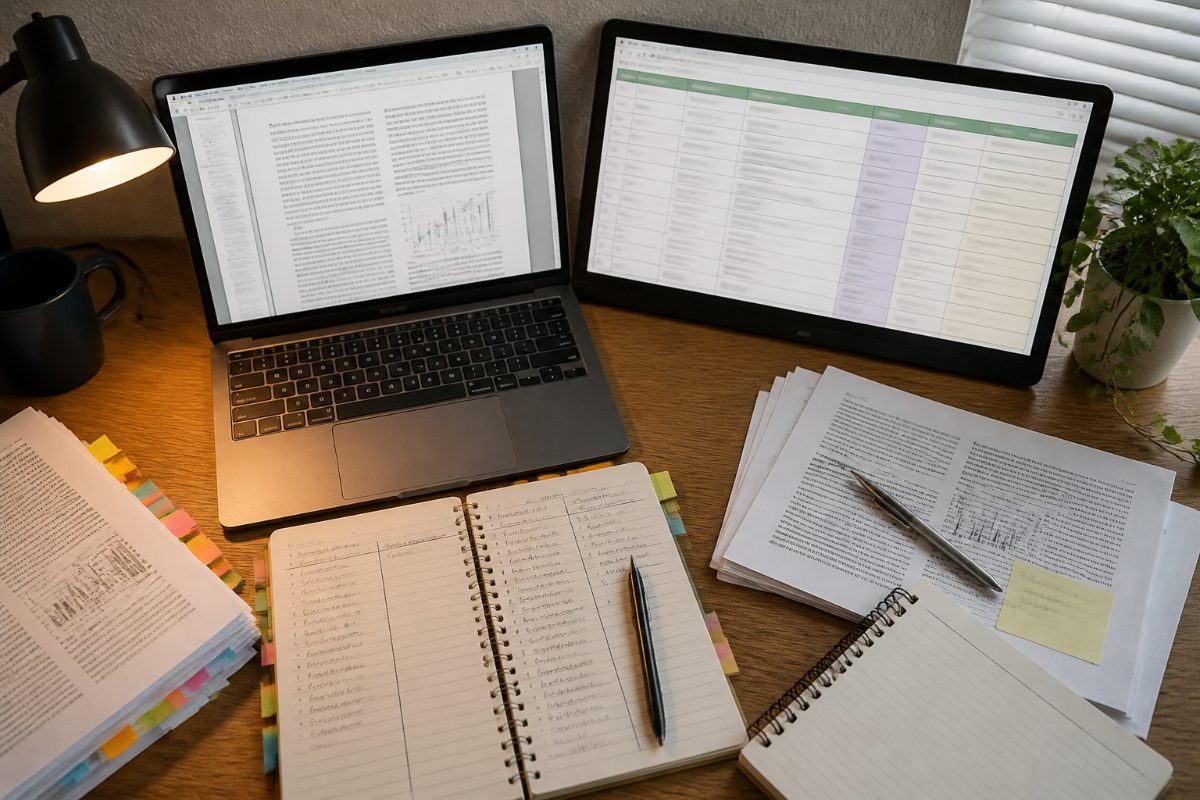
How should you manage citations and research notes?
A citation manager is a library for storing source records, organizing them, and reusing their details in a bibliography. Zotero can act as the central library in an AI-supported workflow; Consensus also lists Zotero import support, which can help move discovered records into a managed collection (Consensus product changelog).
Keep the library as the dependable record and use AI tools around it. A reference record should be checked for basic bibliographic details, while your notes should distinguish the paper’s claims from your own interpretation. That separation makes it easier to revise a draft without accidentally turning a tentative AI summary into a cited fact.
| Library item | What to record | Why it helps |
|---|---|---|
| Source record | Title, author list, publication details, and a stable identifier when available | Helps you locate and cite the original work |
| Reading note | Research question, method, findings, and limitations | Supports accurate comparison across papers |
| Relevance note | Why the source may answer your question | Prevents a large library from becoming an unfiltered reading list |
| Verification note | Which claims you checked and where they appear | Makes later fact-checking faster |
Use a consistent folder or collection structure that reflects your project rather than a long list of vague tags. One practical setup is to separate “to screen,” “included,” and “excluded,” then add a short reason when a paper is excluded. For a group assignment, agree on naming and note conventions before several people start importing duplicate records.
Do not assume that an AI-enabled feature in a research product is the same as a reference manager. Discovery and summarization can support reading, but accurate source records and a usable bibliography still need deliberate maintenance.
How do you verify AI-generated claims and citations?
Verify the paper, the bibliographic record, and the claim as three separate items. A citation can point to a real paper but still fail to support the sentence it is attached to; a summary can be broadly accurate while misstating a detail that matters to your argument.
Consensus describes citation grounding that links an answer to exact paper text. That kind of traceable evidence is more useful for checking than an uncited summary, but it does not remove the need to inspect the source and make sure the passage supports your interpretation (Consensus product changelog).
- Confirm the source exists. Search the exact title or DOI in a reliable record or the publisher’s page.
- Match the citation to the record. Check title, authors, year, and publication details before adding it to a bibliography.
- Open the paper. Read the relevant passage, results, or table—not only the abstract or an AI paraphrase.
- Test the wording. Ask whether the source supports the full sentence, including its strength and scope.
- Check the required style. Apply the citation style specified by the instructor or department, then inspect the formatted reference.
Do not use a citation merely because a tool attached it to an answer. If you cannot find the source or the passage does not support the claim, remove the citation or revise the claim. If a paper is inaccessible, do not write as though you independently verified its full text.

Which workflow fits your project and experience level?
The right workflow depends on how formal the assignment is and how many sources you need to manage. A first-year class paper usually benefits more from a tidy, verifiable process than from adding several specialized tools; a larger review may justify dedicated screening and mapping steps.
| Situation | Suggested workflow | What to prioritize |
|---|---|---|
| First research paper | Semantic search → a small set of papers → reference manager → manual claim checks | Learn how to judge relevance and cite primary sources |
| Topic is unfamiliar | Search → choose seed papers → citation map → return to the original studies | Discover field vocabulary and connected work without treating the map as complete |
| Group project | Shared screening and extraction process → agreed notes → one managed source library | Consistent inclusion decisions and fewer duplicate records |
| Systematic or structured review | Define the protocol and criteria → use screening and extraction support → preserve decisions | Transparency, reproducibility, and careful human review |
If you are new to research, start with one discovery tool and one citation manager. Add a mapping tool only after you have a relevant seed paper, and add PDF analysis when you have a clear extraction task. More software does not automatically make the review more complete.
If you already have a working library, improve the handoffs instead of rebuilding everything. Check whether discovery results can be imported, use consistent collections, and keep extraction notes linked to the source record. For collaborative work, Elicit’s materials describe a Multiplayer environment for team research; agree on who screens and who verifies before splitting the workload (Elicit, 2026).
What privacy and academic-integrity checks should you make?
Before uploading course materials, unpublished work, or sensitive research data, check the tool’s privacy terms and your university’s rules. The University of New England’s guidance advises using university-licensed enterprise private AI tools rather than public tools for data protection (UNE guidance, August 20, 2026).
Institutional rules also determine which AI uses are allowed. Guidance cited from the University of Utah and the University of New England generally supports AI use for organizing and summarizing while keeping the researcher accountable for accuracy and originality; your course may set different boundaries. Read the syllabus or research policy and disclose AI assistance if the instructions require it.
- Use approved tools for restricted or sensitive material.
- Do not submit AI-generated wording as your own analysis without checking the course policy.
- Keep a record of what the tool helped with, such as search, screening, or note organization.
- Write the synthesis yourself from verified evidence and cite the papers, not the AI-generated summary.
AI can reduce repetitive handling, but it cannot take responsibility for the final source selection or interpretation. Treat every extracted detail as a draft until it has been checked against the relevant paper.
Frequently Asked Questions
Can one AI tool handle a literature review and citations?
Usually, a literature review needs more than one function: discovery, mapping, evidence extraction, source management, and verification. A compact workflow can use one discovery tool and one reference manager, then add mapping or screening tools when the project requires them.
Is semantic search better than citation mapping?
Neither is universally better. Semantic search finds papers by meaning, while citation mapping traces relationships through references and citations; using both can reveal different relevant work.
How can I reduce fake or incorrect AI citations?
Confirm each title and bibliographic record in a reliable source, then open the paper and check that it supports the sentence you plan to write. Do not cite a result based only on an AI-generated response.
Is using AI for a college literature review cheating?
That depends on your institution, instructor, and assignment rules. Check the policy before using AI, and remain responsible for the accuracy, originality, and citations in the final work.
What is the simplest workflow for a first college research paper?
Write a focused question, use semantic search to find candidate papers, verify and save relevant sources in a citation manager, and make notes from the original papers. Add citation mapping if you need to trace influential or later work.
Key points to keep your review reliable
Use AI for discovery, screening, and organization, but keep the original papers at the center of the review. Semantic search and citation maps complement each other; a citation manager preserves the records; and direct verification keeps the final synthesis tied to evidence.
- Choose tools by task rather than expecting one platform to do everything.
- Record why a source belongs in the review and what it actually reports.
- Check the original text before relying on a claim or citation.
- Follow your institution’s privacy and AI-use rules.
Tool features and university policies can change. The product references in this guide were checked against the listed 2026 materials available as of October 9, 2026; confirm current settings and course requirements before relying on them.
References
- 10 AI Academic Research Tools to Try in 2026
- consensus.app
- effortlessacademic.com
- Elicit: AI for research & decision-making
- Comprehensive Comparison of Litmap and Research Rabbit for Researchers
Information in this post was checked as of October 2026. Policies and prices may change, so please verify important details with official sources.